Cloud Service
Book with links and materials with Cloud user manual, tutorials and training.
Includes Virtualization, security considerations for VMs, and resource accounting
- Cloud Tutorials
- Security recommendations for cloud
- How to check resource accounting
- Time synchronization
Cloud Tutorials
Openstack Tutorials
An Openstack Horizon/Dashboard tutorial can be found in these slides
The Openstack CLI tutorial is being maitained in a github repository tutorial-oscli
Older versions of the Openstack Tutorials:
- Openstack Command Line Tools materials
- Openstack Graphical User Interface materials
- Openstack EC2 API materials
Security recommendations for cloud
Security recommendations for cloud users, in particular when instantiating and managing VMs
Security recommendations for the Cloud
A non exaustive list of security recommendations
These recommendations target speacially user and administrators of cloud computing resources (VMs), as well as interaction through the Openstack dashboard and CLI.
-
default security groups, leave only ssh (22) open and nothing else, other rules should be to create another "Create Security Group". Each security group should be as minimal as possible. When too many ports are added to the Default, like the 80 and 443 these are imediately available on the VM, and soon that the service comes up it can be immediately attacked.
-
The first thing when instantiating a VM is to immediately update / upgrade the operating system and reboot to get the latest kernel, before installing other SW. In fact, update / upgrade regularly all VMs.
-
Install fail2ban (see below)
-
When testing or developing a given service such as wordpress, it's better to have only one private IP and make an ssh tunel from another VM with a public IP, until the service is properly configured and secured.
-
Deploy the service endpoints with https/certificate, if possible only port 443 should be opened in the security groups.
-
Only associate the new security group (for example 443 and / or 80) after the service is configured properly. Avoiding windows of opportunity while developeing/testing the service.
-
If necessary, restrict the range of IPs that can be connected from outside.
Updates, installation and configuration of fail2ban
On the follwoing use either yum for Cento7 or dnf for Centos8, for Ubuntu also available, update and reboot the VM:
sudo -s
dnf -y update
dnf -y install epel-release
shutdown -r now
Reboot the VM
dnf -y install fail2ban
The fail2ban configuration files are located in the /etc/fail2ban/ directory
and filters are stored in the /etc/fail2ban/filter.d/ directory (the filter file
for sshd is /etc/fail2ban/filter.d/sshd.conf).
The global configuration file for the fail2ban server is /etc/fail2ban/jail.conf,
however, it is not recommended to modify this file directly, as it will probably be
overwritten or improved in case of a package upgrade in the future.
As an alternative, it is recommended to create and add your configurations in a
jail.local file or separate .conf files under the /etc/fail2ban/jail.d/ directory.
Note that configuration parameters set in jail.local will override whatever is defined in jail.conf.
For this article, we will create a separate file called jail.local in the /etc/fail2ban/ directory as shown.
vi /etc/fail2ban/jail.local
Once the file is open, copy and paste the following configuration in it. The [DEFAULT] the section contains global options and [sshd] contains parameters for the sshd jail.
[DEFAULT]
ignoreip = 192.168.56.2/24
bantime  = 21600
findtime  = 300
maxretry = 3
banaction = iptables-multiport
backend = systemd

[sshd]
enabled = true
Enable and start the service:
systemctl start fail2ban
systemctl enable fail2ban
systemctl status fail2ban
How to check resource accounting
In the Openstack dashboard, select "Overview" on the left panel:
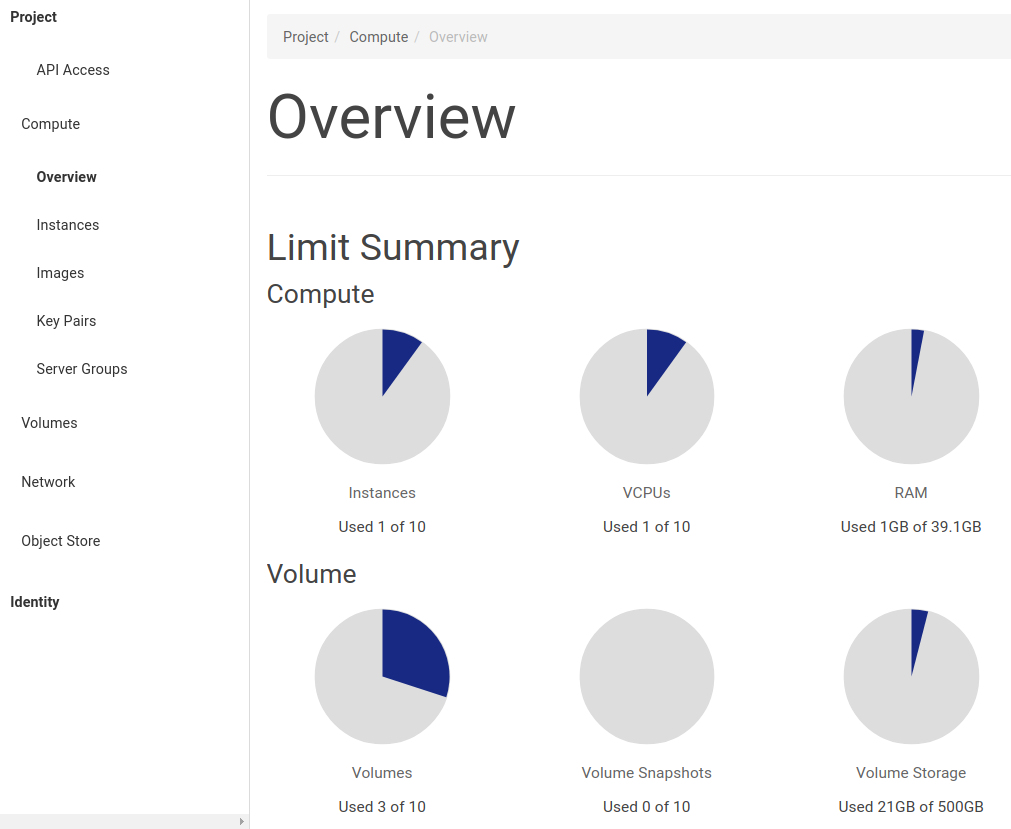
Scroll down to see the "Usage Summary" and select the initial date, for example January 1st 2021, and end date (the default is the current day):

After you click "submit" you will see the summary table with resource usage, shown below:

Time synchronization
Recommendations for NTP configuration
For stratus.a.acnca.pt use the CNCA provided NTP servers:
server ntp01.a.acnca.pt
server ntp02.a.acnca.pt
For stratus.d.acnca.pt use the CNCA provided NTP servers:
server ntp01.d.acnca.pt
server ntp02.d.acnca.pt
To use other NTP servers configure them as "peer" not "server" like:
peer ntp02.oal.ul.pt
peer ntp04.oal.ul.pt
peer ntp01.fccn.pt
peer ntp02.fccn.pt